

From winter storms and high winds to local equipment faults and planned utility work, an interruption to power can change a normal day quickly. Understanding the difference between a brownout and a blackout can help you protect your electronics, preserve essential power, and choose a backup setup that suits life in Canada.
What is a brownout?
A brownout is a drop in voltage, not a total loss of electricity. You may see lights dim or flicker, hear motors run differently, or notice that electronics reset or do not perform as expected. In a typical Canadian home, 120/240V service may still be available during a voltage event, but at a level that is unsuitable for some connected equipment.
Brownouts may be associated with high demand, a network fault, or utility operations. They can be subtle, so do not assume that equipment is safe simply because a light or appliance is still running.
What is a blackout?
A blackout, often called a power outage, is a complete loss of utility power. Standard lights, outlets, fixed appliances, and internet equipment will stop operating until service returns or a properly installed backup source is available. Outages can be planned for maintenance or caused by weather, fallen trees, accidents, or damage to utility infrastructure.
Brownout vs blackout: at a glance
| Feature | Brownout | Blackout |
|---|---|---|
| Power supply | Power remains available, but voltage is reduced or unstable. | Utility power is completely unavailable. |
| Typical signs | Dim lights, erratic electronics, or slow-running motors. | All normal mains-powered loads shut down. |
| Primary concern | Potential stress to electronics and motor-driven appliances. | Loss of lighting, communications, refrigeration, and comfort without backup power. |
| What to do first | Protect or unplug sensitive equipment and reduce non-essential load. | Check the outage, use lighting safely, and conserve backup energy for priorities. |
How to prepare for a brownout
- Use protection designed for the load. A quality surge protector or UPS with automatic voltage regulation can help protect computers, network equipment, and other sensitive electronics.
- Unplug what does not need to run. During unstable voltage, avoid running unnecessary high-draw appliances and do not repeatedly cycle compressors, pumps, or other motors.
- Save data and charge communications. Save files, keep phones charged, and consider a UPS for the modem or router if you rely on internet access.
- Investigate recurring problems safely. If voltage issues are frequent or only affect your home, contact your utility and have a qualified electrician assess your installation where needed.
How to prepare for a blackout
Check the situation
See whether neighbours are affected, then check your utility’s outage map or alerts. Keep refrigerator and freezer doors closed as much as possible, use battery-powered lights, and follow municipal or emergency alerts during severe weather. If downed lines are present, stay well clear and report them to the utility or emergency services.
Plan around essential loads
Build an outage checklist before you need it: lighting, phone charging, communications, refrigeration where appropriate, and any essential medical equipment following the manufacturer’s instructions. Know the wattage and run time for each item. Switching on only the loads that matter will help your stored energy last longer.
Use backup power safely
A portable power system or solar-and-battery setup can keep selected devices running, but it must be used within its ratings and according to its instructions. Never feed inverter power into household wiring through a regular outlet. A transfer switch, panel connection, or any work on fixed wiring must be designed and installed by a licensed electrical professional and comply with the electrical code and local requirements.
Solar and battery power for travel and remote spaces
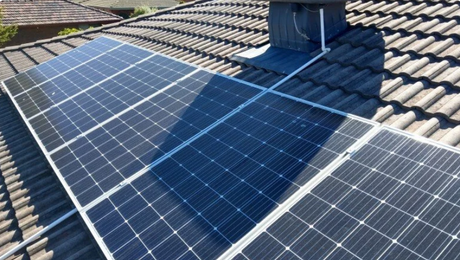
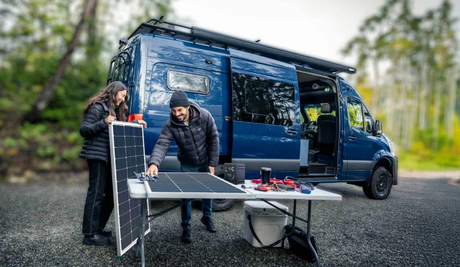
Solar charging and LiFePO₄ battery storage can be a practical way to support essentials in an RV, van, cabin, or other off-grid space. Size the system from your real energy use: calculate daily watt-hours, allow for inverter surge loads, and consider reduced solar production in winter, cloudy conditions, or shaded campsites.
Explore Renogy CA RV and cabin-ready solar kits
For longer trips, Renogy Canada’s RV Solution offers 3.8kWh and 7.6kWh options in a complete RV-focused system. For a compact solar-and-storage starting point, the 390W 12V Complete Solar Kit pairs solar charging with 2.56kWh of lithium battery storage. The collection also includes 200W and 400W RV kits for building a system around your travel and cabin needs.
FAQs
Can a brownout damage appliances?
Yes. Reduced voltage can stress some electronic devices and motor-driven appliances. Unplug non-essential sensitive loads if supply appears unstable, and use appropriate voltage protection for equipment that must remain connected.
How do I know if I have a brownout or a blackout?
A blackout means no normal utility power is available. During a brownout, some equipment may continue to run but lights can dim and devices may work poorly or restart. A suitable meter can verify voltage, but do not attempt electrical work inside service panels or appliances.
How much battery capacity do I need for an outage?
It depends on which loads you need to support and for how long. Add the wattage of each essential device multiplied by its expected run time, then allow for conversion losses and reserve capacity. High-demand heating appliances and air conditioners can require substantially more power than lights, phones, or a router.
Prepare before the power goes out
Whether the issue is a voltage dip or a full outage, preparation makes the response calmer and safer. Protect sensitive equipment, keep light and communications options ready, and choose a backup system based on your essential loads—not on guesswork. A carefully sized solar and battery setup can provide useful power at the campsite, cabin, or wherever the grid is unavailable.


![Which Marine Battery is Right for You [2026 Guide]](http://ca.renogy.com/cdn/shop/articles/how-to-choose-marine-battery_5af35244-b269-4d22-8ef2-af84d70386ed.png?v=1777428541&width=460)